

Zoom testimonials don’t have to feel like flat, last-minute video calls. Whether you’re capturing donor stories, employee voices, or customer impact, the key is combining emotion with smart execution.
In this guide, you’ll learn how to create Zoom videos that resonate. From lighting and sound to coaching and editing, we’ll break down the techniques that move your message forward.
And if you’re thinking, “This sounds like a lot to manage,” don’t worry. Jungle Films can help you make your Zoom testimonial feel like a full production.
Let’s get into it.
What Makes a Great Zoom Testimonial?
A great Zoom testimonial isn’t just someone saying nice things, it’s a story. And like any good story, it needs structure, sincerity, and soul. When those pieces align, even a simple webcam interview can become one of the most persuasive tools in your content arsenal.
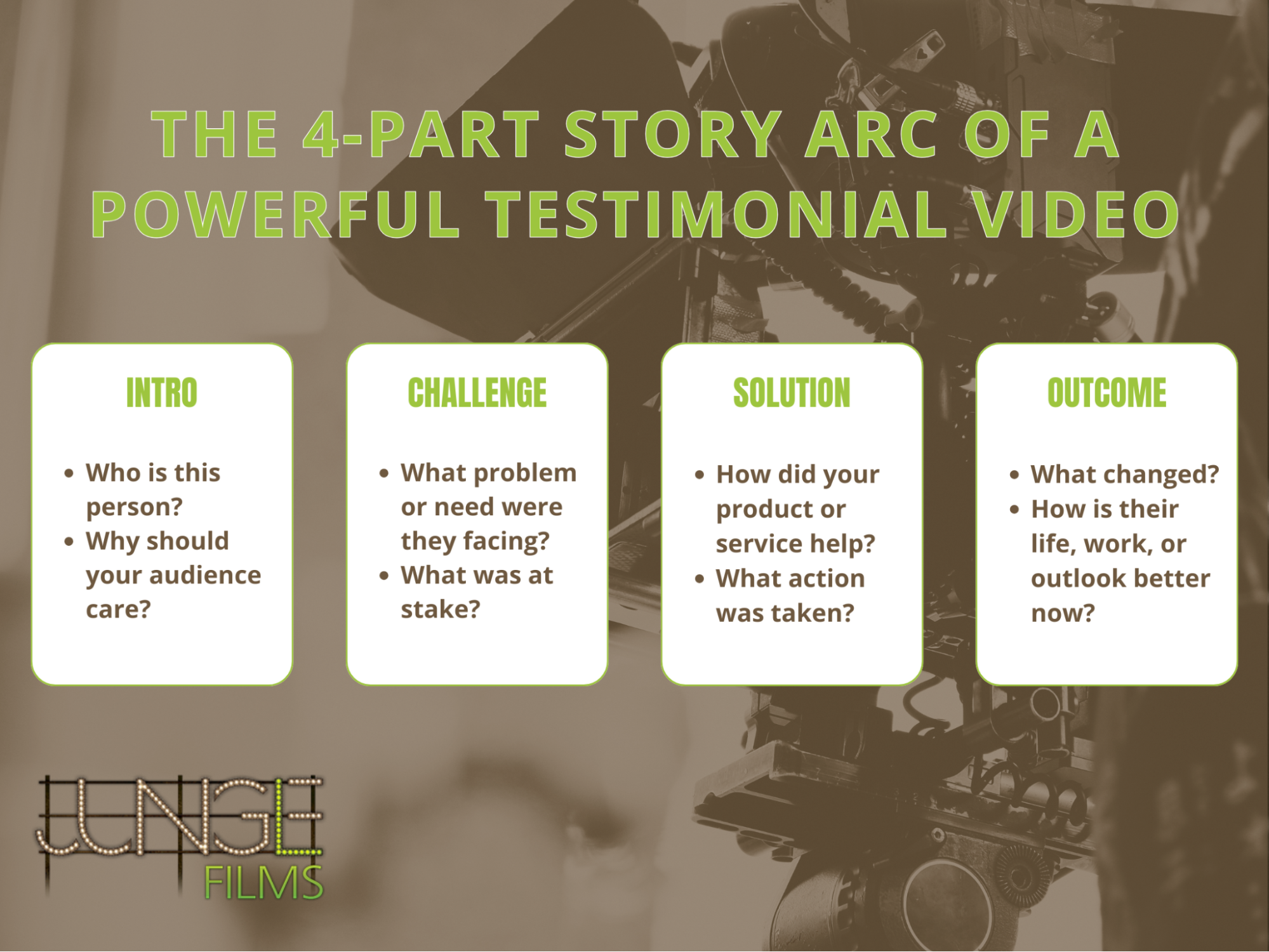
At its core, a strong testimonial follows a familiar arc:
- Intro: Who is this person, and why should we care?
- Challenge: What problem were they facing before working with you or engaging with your mission?
- Solution: What changed? How did your service, product, or organization help?
- Outcome: What’s different now? How has their life, work, or perspective improved?
This structure gives your video a beginning, middle, and end, keeping viewers engaged and emotionally invested.
But structure alone isn’t enough. The delivery must feel real. And that’s where many well-meaning teams stumble. Over-rehearsed lines and scripted answers can rob the moment of its power. You’ve likely seen it before: someone nervously reading from a screen, every word technically correct… and totally forgettable.
Here’s why scripting often backfires:
- It flattens emotional delivery, no pauses, no authentic voice.
- It introduces unnatural pacing and robotic phrasing.
- It distracts the speaker, who’s more focused on remembering lines than sharing a story.
Instead, coach your interviewee with prompts, not scripts. Use open-ended questions like “What surprised you most about this experience?” or “What would you tell someone on the fence?” These invite natural responses and raw, compelling honesty.
Finally, your testimonial should feel like you. That means more than just slapping a logo at the end.
- Keep language, tone, and visuals aligned with your brand identity.
- Use your mission as a lens to guide what stories you ask for and how you shape them.
- Ensure every testimonial ties back to the values you want your audience to feel, trust, empathy, and impact.
How to Make Zoom Videos Look Professional (Without Fancy Gear)
You don’t need a film crew to make a Zoom testimonial look sharp, you just need to control a few critical details. The difference between a video that builds trust and one that gets closed in five seconds often comes down to framing, lighting, audio, and prep. These upgrades are simple but powerful, especially for teams with limited time or tech expertise.
Start with the basics:
- Framing and angle: Position the camera at eye level, with a bit of headroom and balanced spacing on each side. Avoid “laptop chin” shots where the viewer is looking up someone’s nose. Use a stack of books or a laptop riser to get this right.
- Background: Clean, uncluttered environments keep the focus on the person. A plain wall, bookshelf, or subtle personal touch works well. Avoid virtual backgrounds; they’re distracting and can glitch, especially if the lighting isn’t ideal.
Next, fix the lighting, arguably the fastest way to elevate your production quality:
- Natural light: Sit your subject facing a window (never behind one). Soft, diffused light is flattering and free.
- DIY three-point setup: If indoors or filming at night, use a key light (main light at an angle), a fill light (softer light on the other side), and a backlight to separate them from the background. Ring lights or desk lamps with diffusers can work surprisingly well.
For audio, built-in laptop mics rarely cut it. They sound hollow, pick up background noise, and flatten emotional tone. To record high-quality audio in a Zoom interview:
- Use an external mic: Lavalier mics clipped to a shirt or small USB mics like the Samson Q2U or Rode NT-USB Mini drastically improve clarity.
- Eliminate noise: Close windows, mute phones, and ask others to stay quiet during recording. A quiet room is non-negotiable.
And don’t forget the settings most people skip:
- Enable local recording in Zoom: This captures higher-resolution video and better audio than cloud recordings.
- Turn off “Automatically adjust microphone volume” in audio settings: This prevents Zoom from compressing voice dynamics unnaturally.
If you’re thinking, “My videos look amateur even when I try to plan ahead,” it’s likely one of these fundamentals is off. You don’t need fancy gear, you need intentional setup. Done right, even a webcam testimonial can feel polished, intimate, and professional.
Coaching Non-Professional Speakers with Confidence
Most powerful testimonials come from everyday people, not polished presenters. Whether it’s a donor, patient, student, or staff member, these voices are often the most credible and moving. But put someone in front of a camera, even on Zoom, and nerves kick in fast. The good news? You don’t need them to be “media trained.” You just need to help them feel safe and seen.
Start before the recording even begins.
- Do a warm-up chat. Don’t dive into the testimonial cold. Spend five to ten minutes just talking, ask about their day, where they’re calling from, anything human and low-pressure. This casual intro reduces stiffness and helps them ease into conversation mode instead of performance mode.
- Turn the camera off for a bit. If someone is really tense, doing a few practice runs with the camera off can break the ice.
Once you’re rolling, your questions matter more than your script. Avoid anything that leads to “yes” or “no” answers. Instead, lean into prompts that invite reflection:
- “What made you want to get involved with this organization?”
- “What was going through your mind before you signed up?”
- “Can you walk me through the moment that really stuck with you?”
These questions unlock emotion and memory, which lead to authenticity. You’re looking for the why, not the facts.
If someone starts to ramble or freeze up, it’s usually a sign they’re trying too hard to “get it right.” Reassure them that you’re not looking for perfection, just their real experience. You can say:
- “Let’s just talk like we’re off camera for a second.”
- “You don’t have to get it in one take, we can always stop and start again.”
And if you’re wondering, “How can I help someone feel comfortable giving a testimonial over Zoom?”, this is your roadmap. It’s less about technique and more about trust.
People don’t freeze because they don’t care. They freeze because they care too much. Your role is to take the pressure off. With the right coaching, non-professionals become your best storytellers.
Mistakes to Avoid in DIY Zoom Testimonials
Even with the best intentions, Zoom testimonials can fall flat when a few small missteps add up. The problem? Most viewers won’t give you a second chance. If something feels off, technically or emotionally, they’ll click away. But these mistakes are avoidable with the right strategy and awareness.
Let’s start with the basics:
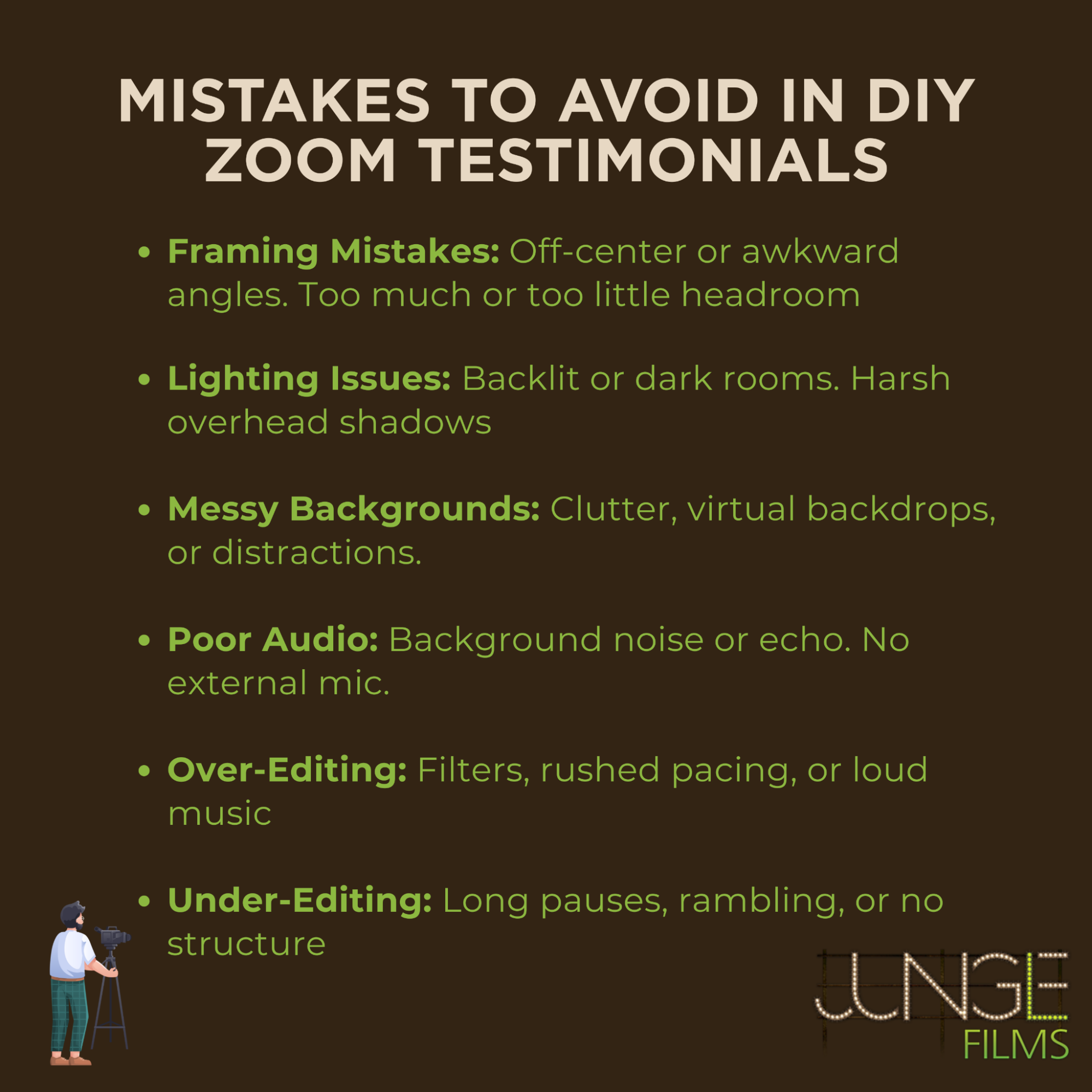
- Bad framing: Off-center faces, too much headroom, or awkward angles break the sense of connection. Always position the subject at eye level, with their eyes one-third from the top of the frame.
- Poor lighting: Backlit subjects or dark rooms create grainy, unflattering footage. Use soft front-facing light, ideally natural, and avoid overhead lighting that casts shadows.
- Distracting backgrounds: Messy rooms, virtual backdrops, or clashing colors pull attention away from the message. Keep it clean and neutral whenever possible.
- Audio interference: Fans, pets, background chatter, or echoey spaces make it hard to focus on what’s being said. Use a decent mic and a quiet environment, non-negotiable for trust-building.
Now, let’s talk editing. Too often, people go to extremes:
- Over-editing: Heavy filters, fast cuts, and music that drowns out emotion make the story feel staged or insincere.
- Under-editing: Leaving in long pauses, filler words, or awkward transitions makes it feel unpolished and amateurish.
The key is a light touch, enhance clarity and pacing, but don’t strip away the humanity. Let small imperfections stay if they serve authenticity.
But perhaps the most overlooked mistake is missing the point of the story altogether. A testimonial without a clear purpose or next step is just… a story.
- Always tie the testimonial back to your campaign, product, or mission.
- Include a clear call to action, donate, apply, learn more, so viewers know what to do with what they’ve just felt.
And what about tech mishaps? “What if their Wi-Fi glitches mid-sentence?” It happens. Always record locally on Zoom when possible to minimize quality loss. But even if something cuts out, don’t panic. If the story is strong, viewers will forgive a glitch. Just be ready to reschedule or capture a quick follow-up if needed.
Finally, if you’re asking “What are the common mistakes to avoid in Zoom testimonial videos?”, it’s this: don’t settle for “good enough.” Avoiding the technical pitfalls is step one. Honoring the story? That’s what makes it unforgettable.
Zoom Testimonials That Actually Move the Needle
You’ve recorded a heartfelt story, cleaned up the audio, and hit export, only to discover the video barely gets watched. That’s a common frustration: “We made the video… but nobody watched it.” The issue isn’t just production quality; it’s strategic delivery. To make Zoom testimonials perform, you need to edit with purpose and deploy them where they matter most.
First, let’s talk editing. Here’s how to shape a testimonial that holds attention and drives action:
- Trim the fat: Get to the emotional core quickly. Cut out long intros, tangents, and filler words. Aim for 60–90 seconds unless there’s a compelling reason to go longer.
- Pace for emotion: Use natural pauses, subtle music, and visual rhythm to build connection. Don’t rush the speaker, but don’t linger too long either.
- Add captions: Many people watch with the sound off. Captions boost retention, accessibility, and SEO.
- Use a consistent visual language: Brand fonts, lower-thirds, and logo placement help create cohesion across all your content.
But editing is only half the equation. To get traction, place your video where it can do its job:
- Landing pages: Drop testimonials near CTAs to build trust and reduce friction.
- Email campaigns: A 60-second story in a donor appeal or follow-up email can dramatically increase click-through and conversion.
- Social media: Pull short, emotional moments and use them as standalone posts.
- Internal communications: Share employee or stakeholder testimonials to reinforce values and drive engagement from the inside out.
And if you’re wondering, “What’s the best way to edit and repurpose Zoom testimonials?”, the answer is: build them with flexibility in mind.
- Batch your content: Record one interview, then slice it into multiple clips for different channels or campaign moments.
- Think modular: One 5-minute Zoom interview can yield three micro-testimonials, one campaign story, and a quote graphic.
- Tag strategically: Use metadata, links, and thumbnails that invite curiosity and reflect the emotional tone of the video.
If your video isn’t getting watched, don’t assume the story is weak. It might just need tighter editing, or a better seat at the table in your marketing ecosystem. When edited with empathy and placed with purpose, Zoom testimonials don’t just look nice. They move people to act.
Scaling Remote Testimonials Across Your Team or Campaign
Collecting one powerful Zoom testimonial is great. But building a repeatable system that consistently delivers high-quality, emotionally resonant stories across departments, campaigns, or time zones? That’s how purpose-driven organizations scale impact without reinventing the wheel every time.
The secret lies in building a repeatable workflow.
Start with a simple tech checklist for anyone capturing footage:
- Camera placement and framing guide
- Lighting setup (natural or artificial)
- Microphone tips and audio settings
- Internet speed test and backup recording option
- Step-by-step instructions for Zoom settings (local recording, disabling auto-gain, etc.)
Pair that with a story guide, a short document that outlines the testimonial arc and sample questions. When your interviewees and collaborators know what to expect, they’re more confident, and your footage becomes more consistent.
To make this process even smoother:
- Create email templates and onboarding docs for speakers.
- Offer a quick pre-call checklist to confirm tech and environment readiness.
- Prepare FAQs for internal teams so they can handle common hiccups without escalating everything to your comms lead.
And for teams managing content at scale, nothing beats batching. Jungle Films often helps clients record a series of interviews in one session, then strategically repurpose them into:
- Dozens of short-form clips for social or internal use
- Thematic reels for campaigns or events
- Archived evergreen assets for future projects
One hour of smart shooting can yield months of strategic content, if you plan with scale in mind.
If you’re asking, “How do I ensure brand consistency across remote testimonial videos?” this is where documentation, direction, and discipline come in. Build a consistent framework for visual style, storytelling voice, and post-production polish. That way, whether the interview is filmed in New Jersey or Nairobi, it still feels like your brand.
Scaling remote testimonials isn’t just about doing more, it’s about doing it smarter, with empathy and efficiency baked into every step.
Should You DIY or Partner with a Team?
At some point, most teams producing Zoom testimonials ask: Can we keep doing this ourselves, or is it time to bring in help? The answer depends on your goals and your standards.
The truth is, not all agencies are equipped to handle remote storytelling well. Many focus solely on the technical side, camera specs, lighting kits, and post-production polish. That matters, but it’s not enough.
Great testimonials aren’t just about what you see, they’re about what you feel.
That’s where most production vendors fall short. They treat interviews like transactions, not relationships. They send gear kits, generic prep docs, and hit record. But they miss the nuance, the eye contact, the pause before the reveal, the coaching that turns a decent quote into a moment that moves someone to donate, to apply, to believe.
If you’re vetting partners, look for those who:
- Lead with empathy and emotional intelligence
- Understand how to guide real people, not just deliver clean footage
- Offer strategic thinking, not just execution
- Customize their process to fit your mission, voice, and audience
And watch out for red flags:
- One-size-fits-all pricing or packages
- Overuse of generic B-roll or stock visuals
- No clear storytelling framework or interview philosophy
- Lack of experience working with nonprofit, healthcare, or values-driven clients
Partnering With a Professional
But can you really trust a remote team to ‘get’ our mission?
Many organizations hesitate to hand off testimonial work for fear of losing their voice, their values, or their authenticity.
That’s exactly why Jungle Films was built.
We specialize in emotionally intelligent, story-driven content, yes, even (especially) on Zoom. We don’t just point and shoot. We listen, coach, and craft. Whether you’re recording remotely or working with hybrid crews across the country, we help you capture what matters and make it meaningful.
If you’re ready for Zoom testimonials that look stunning and feel like you, reach out to Jungle Films. We’ll help you turn everyday interviews into stories that move people to act.
FAQ
What gear or tools improve Zoom video quality for testimonials?
A basic USB mic, laptop riser or tripod, and soft lighting (like a ring light or desk lamp with a diffuser) can dramatically improve quality. Disable Zoom’s auto-adjust mic settings and record locally to maximize resolution and clarity.
How do I structure questions to get powerful stories on Zoom?
Follow a story arc: ask about the person’s background, the challenge they faced, how your org/product helped, and what changed afterward. Avoid yes/no questions, invite emotion and specificity with prompts like “What surprised you most?” or “Tell me about a moment that stuck with you.”
Can Zoom testimonials be used effectively in marketing campaigns?
Absolutely. They’re highly versatile across donor appeals, landing pages, emails, social media, and internal communications. When edited with emotional pacing and paired with strategic CTAs, they drive trust and conversion.
What are common mistakes to avoid in Zoom testimonial videos?
Technical issues like poor audio, harsh lighting, or distracting backgrounds are common. Over-scripting kills authenticity, while under-editing leads to rambling. Always tie the story back to a clear goal or CTA to avoid wasted potential.
How do I record high-quality audio in a Zoom interview?
Use an external mic, disable Zoom’s auto-gain, and record locally. Choose a quiet room with minimal echo. Do a test run and have a backup audio recorder (even a phone app) just in case something goes wrong.
What’s the best way to edit and repurpose Zoom testimonials?
Keep it tight, aim for 60–90 seconds. Trim filler, add captions, and pace edits to emphasize emotional moments. Repurpose into social clips, email snippets, and thematic reels. One strong interview can fuel months of content when batched and sliced strategically.