

Want to look confident and camera-ready on Zoom, without fancy gear or studio lighting? These expert-backed tips will help nonprofit leaders, educators, and professionals show up polished, authentic, and powerful on every virtual call or testimonial recording.
Looking your best on Zoom isn’t about filters, it’s about presence. Whether you’re leading a virtual donor appeal, sharing a powerful testimonial, or managing a remote interview, how you appear on screen shapes how your message lands.
At Jungle Films, we’ve helped countless clients, from nonprofits to corporate storytellers, elevate their virtual presence with purpose.
This guide walks you through the essentials of showing up polished, confident, and camera-ready, even without a production crew.
Start with the Right Setup (No Fancy Gear Required)
You don’t need a production crew to look great on Zoom, you just need a few smart adjustments to lighting, angle, and framing. These basics make the biggest difference and can be done with what you already have.
Start with your camera position:
- Raise your webcam slightly above eye level using books or a laptop stand
- Angle it downward just a touch, this reduces double chin shadows and slouching
- Sit back enough to frame your head and shoulders with an inch or two of space above
Lighting is next, and it matters more than your camera:
- Face a window if possible, but avoid harsh midday light
- No window? A desk lamp diffused with baking parchment works wonders
- Avoid backlighting (windows or lamps behind you cause silhouetting)
- “I look like a ghost no matter what light I use”, usually caused by cool, overhead LEDs. Try a warmer bulb or bounce the light off a wall for softness
- For darker skin tones, use directional light at a 45° angle to avoid flatness and enhance warmth
Framing and cleanliness complete the picture:
- Clean your lens before every call, it’s the easiest way to boost clarity
- Make sure there’s no visual “merging” (like a bookshelf lining up with your head)
- Neutral walls or simple decor help you pop without distraction
Still asking, “How do I position my webcam for the most flattering angle?” Keep it eye level, centered, and steady. And remember: the most flattering look is the one that feels intentional and clear. You’re not trying to impress, you’re trying to connect.
Look Professional Without Looking Overproduced
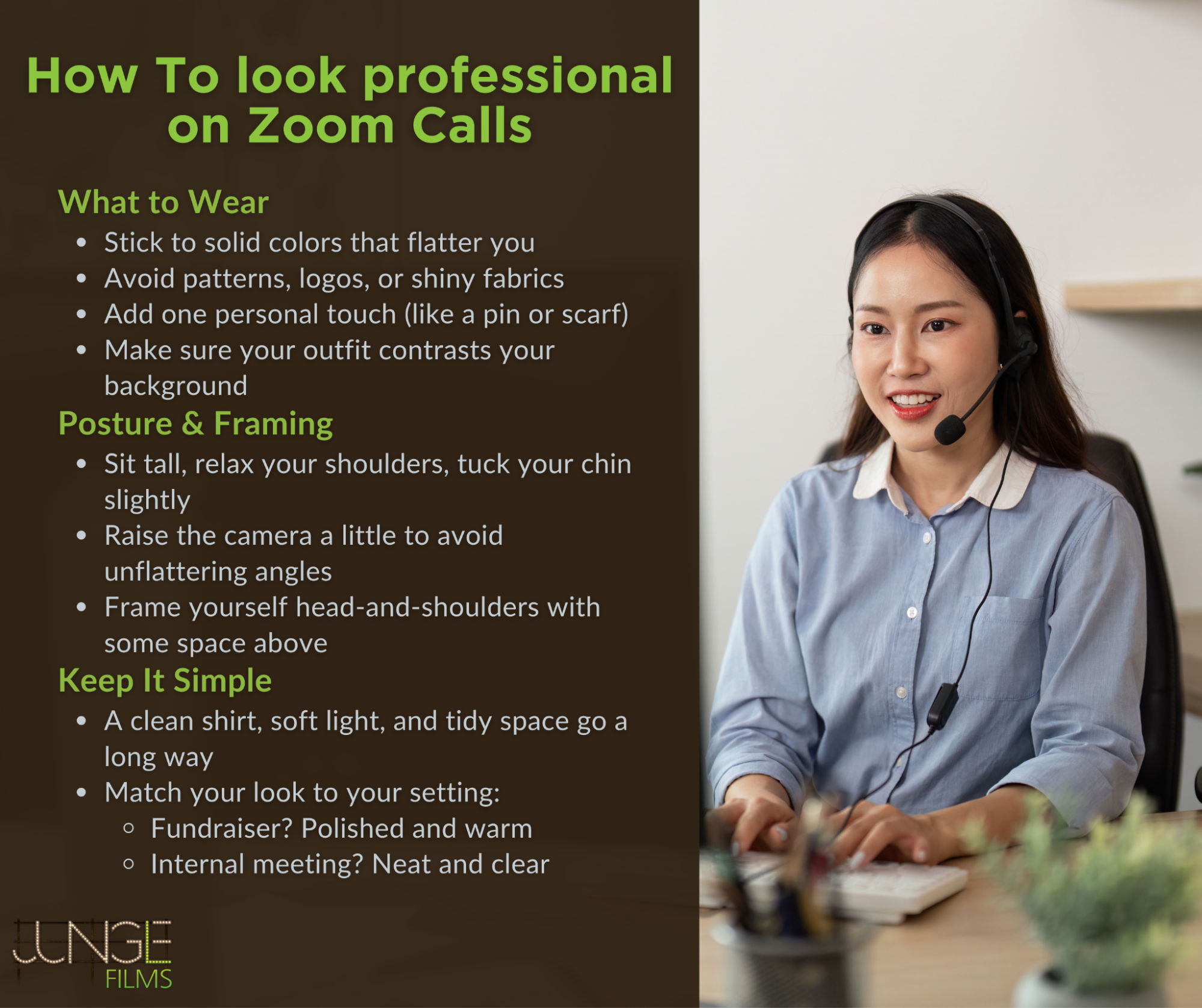
Professional doesn’t mean overly formal, it means intentional. You don’t need designer clothes or a home studio setup. You just need to make clear visual choices that support your message and avoid distractions.
Let’s start with what you wear:
- Choose solid colors that flatter your skin tone and contrast your background
- Avoid patterns, stripes, or logos that can strobe or distract on camera
- Skip anything reflective or overly textured (like sequins or linen)
- Add one personal touch, like a pin, scarf, or necklace, to feel grounded and expressive
Now fix your posture and framing:
- Sit tall with shoulders relaxed and chin slightly tucked
- Want to hide a double chin? Raise the camera slightly and avoid slouching
- Frame yourself head-and-shoulders with a little space above, too close looks confrontational; too far looks disengaged
Remember, you don’t need to spend money to look pulled together. The most effective setup uses what you already own:
- A tidy background, a neutral shirt, and natural light can go further than expensive gear
- Keep your look aligned with your audience, fundraiser? Go polished but warm. Internal training? Neat but approachable
This isn’t about creating a “studio look.” It’s about showing respect for your viewer’s time, and showing up like someone worth listening to.
Audio Is Half the Picture
People will forgive a slightly blurry video, but not muffled sound. If your audio is echoey, tinny, or inconsistent, it can instantly undercut your credibility. Even if you look great, poor sound makes you seem unprepared, distracted, or unsure.
Here’s how to make sure your voice comes through clearly and confidently:
- Use an external mic or wired earbuds with a built-in mic, these almost always outperform your laptop’s default microphone
- Prefer a carpeted room or space with soft furnishings, hard surfaces bounce sound and create reverb
- Sit close to your mic, but not too close; you want clarity, not breathiness
- Mute yourself when not speaking, especially if you’re typing, shuffling notes, or have a barking dog in the next room
- For those leading virtual trainings, interviews, or recorded sessions, consider investing in a simple Bluetooth lav mic, they’re discreet, portable, and elevate production value fast
If you’ve ever thought, “I look great but sound like I’m underwater,” the fix is usually within reach. Even moving to a quieter corner, speaking toward a wall instead of a window, or turning off ceiling fans can help reduce background noise. And remember, crisp, clear audio doesn’t just make you sound better. It helps people trust you.
The Background: Make It Clean, Not Cold

Your background does more than fill the screen, it sets the tone. A messy, cluttered, or overly curated space can distract from your message. A good Zoom background should feel intentional, calm, and reflect the environment your audience expects.
If you don’t have a dedicated home office, don’t worry. Most people don’t. What matters is what’s in the frame:
- Choose a neutral wall or a corner that’s clean and free of visual clutter
- Add soft structure with a plant, bookshelf, or framed art, this gives the frame balance without being busy
- Avoid reflective surfaces (like windows, mirrors, or shiny picture frames) that catch light or distract the eye
- Watch out for “merging” objects, lamps growing out of your head, crooked frames, or furniture lines cutting across your face
- A chair with a visible back adds a touch of polish and subtly improves posture
Using a virtual background? Use them carefully:
- Only opt for Zoom’s virtual backgrounds or blur tools if your real background is truly distracting
- Avoid high-contrast or overly branded images, they often flicker, especially around your hands or hair
- Many users ask, “Why does my background shimmer or vibrate on Zoom?” It’s usually because your lighting is too dim or your camera too low quality
Zoom’s “Touch Up My Appearance” feature can help, but keep it subtle:
- A light blur smooths skin tones and reduces shine
- Overuse can make your face look waxy or blurred, especially with glasses or facial hair
Bottom line: your background doesn’t need to be perfect. It just needs to support your presence. Clean. Grounded. Human. That’s enough.
Coaching Others? Here's How to Help Them Shine
If you’re leading internal comms, managing talent, or prepping clients for remote interviews, your role is more than technical, it’s emotional. Helping someone else look good on Zoom starts with making them feel safe, seen, and supported.
Here’s how to guide them with confidence:
- Start with a prep checklist: light in front, camera at eye level, background clean, outfit simple and intentional
- Hop on a quick Zoom rehearsal, check their mic, framing, and eye line, but also ask how they feel on camera
- Encourage them to look into the camera lens during key moments, it may feel awkward at first, but it strengthens connection
- Validate their nerves. Let them know most people feel unnatural at first, especially when the stakes feel personal
- Offer one simple piece of feedback at a time. Avoid overwhelming them with too many corrections
One common concern is, “They’re great in person but freeze on Zoom.” That’s where coaching goes beyond setup. Focus them on their message and remind them of the impact they’re trying to make. At Jungle Films, we’ve seen that a single thoughtful conversation before recording can unlock someone’s presence more than any lighting tweak.
Don’t underestimate the value of human direction. Even on a webcam, empathy and reassurance go further than tech tips. When someone feels confident, they come across as credible. And when they feel seen, they show up powerfully.
Why the Right Video Partner Still Matters
Not all video teams are built for real stories. When your Zoom recording becomes part of a fundraising campaign, culture doc, or brand story, you need more than technical support, you need a partner who understands people. Someone who can guide nervous talent, troubleshoot in real time, and elevate everyday setups into emotionally resonant content.
At Jungle Films, we specialize in interview-driven storytelling that feels grounded, human, and unforgettable, even when it’s captured through a laptop camera. Our team doesn’t just light you well or frame your shot. We create space for authenticity, because that’s what moves people to act.
If you’re ready to make your next virtual shoot look and feel like the story it deserves to be, contact Jungle Films today. We’ll help you look great, but more importantly, we’ll help your story shine.
FAQ
How do I reduce glasses glare without moving my light source too much?
Angle your light source slightly to the side and above eye level, this reduces direct reflection into the lens. You can also raise your glasses slightly off your cheeks using stick-on nose pads, which tilts the lens and minimizes bounce-back.
Can I improve my Zoom video quality with a smartphone?
Yes. Apps like Camo or EpocCam turn your phone into a high-res webcam. Just mount it at eye level, use soft front-facing light, and lock exposure settings for consistent results.
Should I mirror my camera or not, why do I look “off”?
You’re used to seeing a mirrored version of yourself, so when Zoom flips the image for viewers, it can feel strange. Mirroring is fine for your preview, but keep in mind that others see the true orientation. It’s normal, and you don’t look weird.
Is there a way to record Zoom interviews that look cinematic?
Absolutely. Use HD settings in Zoom, optimize natural lighting, and record locally for the highest quality. Jungle Films also guides remote contributors through pro-level setups using minimal equipment to create polished, story-ready footage.
How do I frame a shot if I’m using two monitors?
Place your webcam between the two screens or position your main monitor directly behind the camera. This helps maintain natural eye contact even when referencing materials. Avoid glancing too far off-angle, it breaks connection.
Do Zoom filters work well for people with facial hair or glasses?
Often, no. Zoom’s filters can glitch around the edges of glasses or blur facial hair unevenly. Use the “Touch Up My Appearance” tool sparingly to smooth skin but avoid overprocessing.
Is there a difference between “good lighting” and “flattering lighting”?
Yes. Good lighting illuminates clearly; flattering lighting softens shadows and highlights your features. Warm, diffused light angled from the front or side is generally most flattering, especially for darker skin tones or textured features.
Can I look good on Zoom from a cramped or cluttered space?
Yes, crop your shot tightly, use soft lighting, and blur or tidy what’s behind you. Even a corner wall with a framed photo and soft light can look intentional and professional.
What’s the best way to make sure my message comes across clearly, not just my appearance?
Simplify your visual setup so it supports, not distracts from, your delivery. Look into the camera, speak with clarity, and lead with your “why.” When your presence feels grounded, your message resonates. Jungle Films helps clients prep for exactly this kind of on-camera impact.